The difference between a 3D book mockup that earns a click and one that gets scrolled past comes down to angle, lighting, and context — not the quality of the cover alone. Most authors upload a flat front cover JPG and wonder why their Amazon listing underperforms. The fix is simple: use the right 3D mockup angles in the right places, and your listing starts doing selling work before a single word of copy is read.
This post breaks down exactly which angles convert, where to place them, and how to generate all five in under a minute.
Why 3D Mockups Outperform Flat Cover Images on Amazon
Amazon allows authors to upload up to 7 images in their product listing. Most authors use one — their flat cover — and leave the remaining 6 slots empty. That's a costly mistake.
A flat cover is proof you have a cover. A 3D mockup is proof you have a book. The psychological difference is significant. Shoppers are wired to trust products that look like physical objects. A paperback rendered at a slight angle with a soft drop shadow reads as real, tangible, something worth $18.99. A flat PNG reads like a placeholder.
Studies on e-commerce product imagery consistently show that 3D and lifestyle product shots lift conversion rates by 20–40% compared to flat assets. Books are products. Treat them like one.
Beyond conversion, 3D mockups also carry visual authority. They signal that you've invested in your book's presentation — which makes browsers more likely to assume you've invested in the content, too.
The 5 Mockup Angles and Where Each One Belongs
Not all 3D mockup formats do the same job. Each format is optimized for a specific placement and a specific psychological moment in the buyer journey.
1. The Paperback Hero Shot (Your Primary Amazon Image)
This is the angle most people picture when they hear "3D book mockup" — a paperback sitting at roughly a 30–45 degree angle, slightly rotated to show depth and spine, with a clean white or transparent background.
This is your slot 1 image. Amazon uses this as the primary thumbnail in search results, in the "Customers Also Bought" section, and in sponsored product ads. It needs to read clearly at 160×160 pixels, which means: bold title typography, high-contrast cover colors, and no clutter around the spine.
What to avoid: a dramatic tilt that obscures the title, a dark background that reduces thumbnail clarity, or a spine angle so steep the front cover gets cropped to 60% of the frame. The front cover needs to dominate. The 3D angle just signals it's a physical thing worth buying.

2. The Hardcover Prestige Shot (Slots 2–3)
If your book has prestige positioning — leadership, business, finance, personal development — a hardcover mockup signals that this is a serious book, not a quick read. Even if you're not printing a hardcover edition, using a hardcover render in your listing images communicates authority.
Place this in slots 2 or 3. Pair it with a one-line benefit statement overlaid on the image: "The step-by-step system used by over 10,000 entrepreneurs." You can do this in Canva in about 4 minutes after downloading the mockup.
3. The E-Reader / Kindle Device Mockup (Slot 4)
Kindle buyers shop on the same Amazon page as print buyers. A Kindle device mockup — your cover displayed on a realistically rendered e-reader screen — directly targets the digital buyer who might otherwise scroll past a paperback shot without registering there's an ebook version.
This image in slot 4 also works as a silent upsell. Print buyers see it and remember to grab the Kindle edition for travel. It costs you nothing to include, and it surfaces a revenue stream many authors leave invisible.
4. The Boxset Render (Slot 5–6, If You Have a Series or Bundle)
If you're selling a companion workbook, a journal, or a multi-book series, a boxset mockup in your listing images triggers a buyer behavior called "completion psychology" — the desire to own the full collection. Even showing a standard boxset render of a single title makes the book feel like it belongs to a larger body of work, which increases perceived value.
A course package boxset render works especially well for authors who also sell a coaching program, online course, or workshop tied to the book. Place this in slot 5 or 6 with a brief caption: "Includes companion course — see description below." That sends browsers to your long-form copy, where you close the sale.
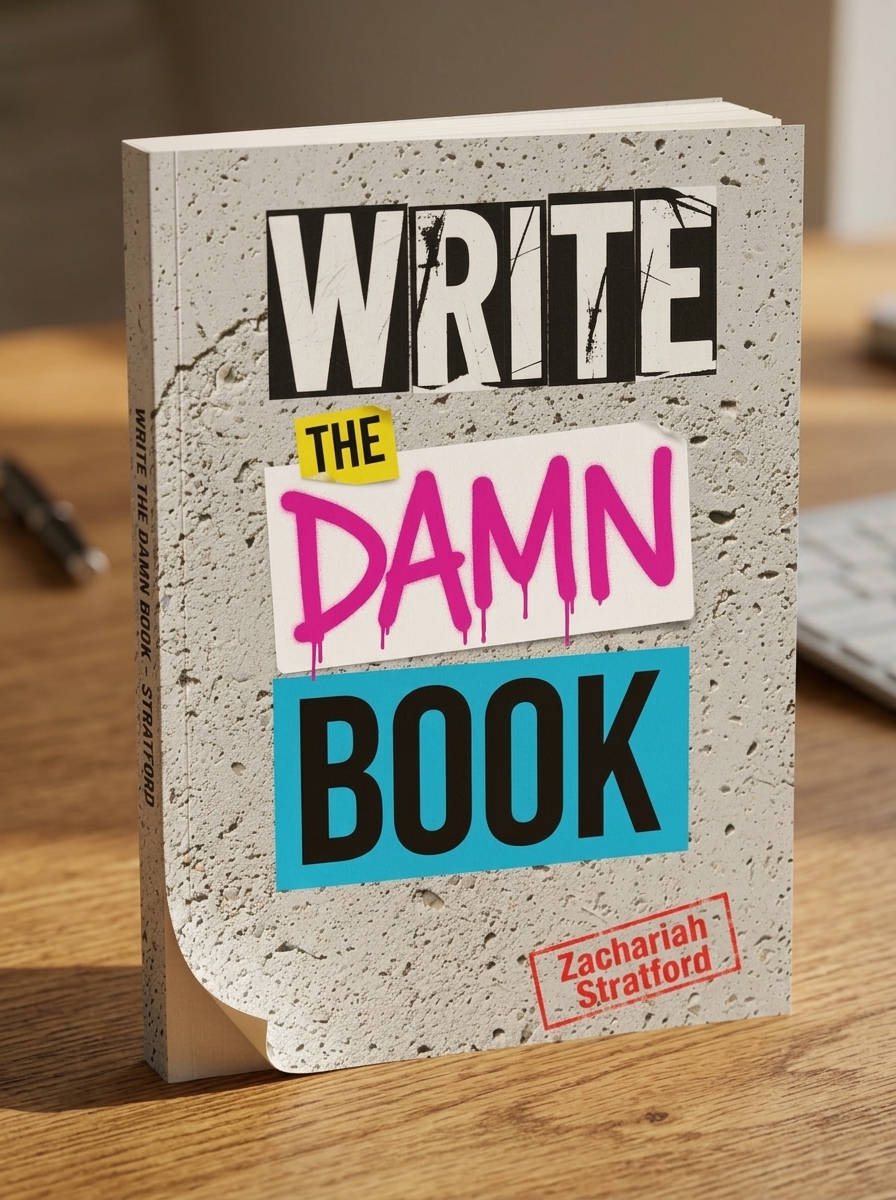
5. The Course Package / Resource Bundle Shot (Slot 7)
Slot 7 is where sophisticated authors separate themselves. A course package boxset render — showing your book alongside a device or stacked in a styled bundle — works as a visual summary of everything the reader gets. It answers the question "Is this worth it?" before they've read a single review.
This angle also repurposes beautifully into Facebook and Instagram ads, which is a reason to generate it even if you don't plan to use all 7 Amazon image slots right away.
The Exact Sequence to Use Across Your Full Amazon Listing
- Slot 1 — Paperback hero shot: 30–45 degree angle, white/transparent background, full title visible. This is your primary thumbnail in search results.
- Slot 2 — Hardcover prestige render: Signals authority. Add a benefit headline overlay before uploading.
- Slot 3 — Second paperback angle: Slightly different rotation — shows the back or spine for social proof. Overlay a short pull quote from a reviewer if you have one.
- Slot 4 — E-reader / Kindle device mockup: Targets digital buyers and surfaces the ebook edition visually.
- Slot 5 — Boxset render: Increases perceived value, works for single titles and series alike.
- Slot 6 — Lifestyle or benefit context image: Place a mockup inside a styled setting (desk, coffee table) using Canva or similar. This is optional but adds purchase-triggering context.
- Slot 7 — Course package / resource bundle: Answers "Is this worth it?" for high-ticket positioning. Reuse in paid ads.
What Makes a 3D Mockup Actually Look Professional
A cheap or low-resolution mockup can hurt more than it helps. Shoppers on Amazon are sophisticated. They've seen thousands of product images. A pixelated or flat-lit render reads as "self-published" in the wrong way.
Professionally credible 3D mockups need three things:
- 300 DPI source art: If the cover you feed into the render is low resolution, the final mockup will look soft. Start with a 300 DPI cover file — the same standard Amazon KDP requires for print.
- Photorealistic lighting: Flat ambient renders look like templates. Good renders have directional light sources, shadows with soft falloff, and slight surface texture variation on the cover material. These details are what make a render read as a real photograph of a physical object.
- Format-appropriate realism: Paperbacks should show slight page-stack thickness. Hardcovers should have that glossy, rigid look. E-readers should have screen glare handled correctly. Each format has visual rules.
Hiring a designer or 3D render studio to produce a set of these costs $300–$800 for a full set of usable assets. That's before any revision rounds.

How AuthorWizard Generates All 5 Mockups From Your Cover in Seconds
AuthorWizard's 3D Book Rendering Studio takes your finished cover — whether you designed it inside AuthorWizard's Cover Designer or uploaded your own — and renders five photorealistic mockups automatically:
- Hardcover
- Paperback
- E-Reader / Kindle device mockup
- Standard boxset
- Course package boxset
All five are ready for ads, landing pages, social media, and your Amazon author page. No design software. No render queue. No $300–$800 freelancer fee. The same set that would cost you a full day of back-and-forth with a designer takes seconds.
The renders come out at the resolution and quality standard you need for Amazon's listing images — the same 300 DPI standard that the rest of the AuthorWizard pipeline uses from cover through interior formatting. Everything feeds forward. You build once, deploy everywhere.
Repurposing Your Amazon Listing Mockups Beyond the Product Page
A well-rendered 3D mockup has a lifespan well beyond your Amazon listing. The same five assets you drop into slots 2–7 on your product page can go directly into:
- Facebook and Instagram ads: The paperback hero shot and boxset render consistently outperform flat cover images in paid social, for the same psychological reason they outperform in Amazon search thumbnails.
- Your book landing page: A course package boxset render above the fold on a landing page immediately communicates value. Conversion-focused landing pages for books routinely use the same 3D render as the page's hero image.
- Your Amazon Author Central page: Author Central lets you customize your author page with images. A clean paperback or hardcover mockup there reinforces your brand across every book you've published.
- Email newsletters: Launch emails with a 3D render instead of a flat cover get higher click-through rates because the render looks like a product announcement, not a graphic.
- Social media posts: Instagram and LinkedIn both perform better with photorealistic product imagery. A boxset render posted on launch day reads as a real product launch, not a graphic design project.
The economics here are simple. You generate 5 renders once. Those 5 assets get used across 7 Amazon image slots, 3–4 ad variations, your landing page, your author page, and your email sequence. That's a $0 cost per channel after the initial generation — compared to paying $300–$800 per render set if you go the freelancer route.
Your cover is the entry point. The 3D mockup is what turns your cover into a marketing asset. Get the angles right, sequence them intentionally across your Amazon listing, and you'll see the difference in your click-through rate within days of going live.
Get 5 Photorealistic 3D Book Mockups — Instantly
Hardcover, paperback, e-reader, boxset, course boxset — AuthorWizard generates all 5 in seconds from your cover. Ready to drop into your ads, landing page, and Amazon author page.
Try the 3D Mockup Studio Free →