If you're building a non-fiction series, your mockups are doing sales work before a single reader opens a page. A reader who sees Book 1 on your landing page, then Book 3 on Instagram, then the full set on your Amazon author page should feel instant recognition — same visual family, same professional shelf presence, same trust signal. That's series mockup consistency, and getting it right is the difference between a series that looks like a brand and a collection of books that looks like separate projects from different authors.
This guide walks you through exactly how to achieve that consistency, what breaks it (and how to fix it before launch), and how AuthorWizard's 3D Book Rendering Studio generates all five photorealistic mockup formats automatically — so every book in your series goes to market looking like it belongs on the same shelf.
Why Series Mockup Consistency Is a Marketing Problem, Not Just a Design Problem
Most authors think about cover design as the consistency challenge. They're right — but mockups are where that design either holds together or falls apart in the real world.
A mockup isn't just a pretty image of your book. It's the format your cover will appear in on ads, landing pages, email headers, Amazon pages, social media, and press kits. When those mockups don't match across a series — different lighting, different angles, different rendering quality — the series stops feeling like a series. It starts looking like three separate authors who happen to write about the same topic.
The cost of getting professional 3D mockups made externally runs $300–$800 per book. For a three-book series, that's $900–$2,400 before you've run a single ad. And even then, you have no guarantee a freelancer renders Book 2 under identical lighting conditions as Book 1.
Consistency has to be built into the process, not bolted on afterward.
The Four Elements That Make or Break Series Mockup Consistency
Before you generate a single mockup, get clear on the four variables that must stay identical across every book in the series. Drift on any one of these and the shelf look breaks down.
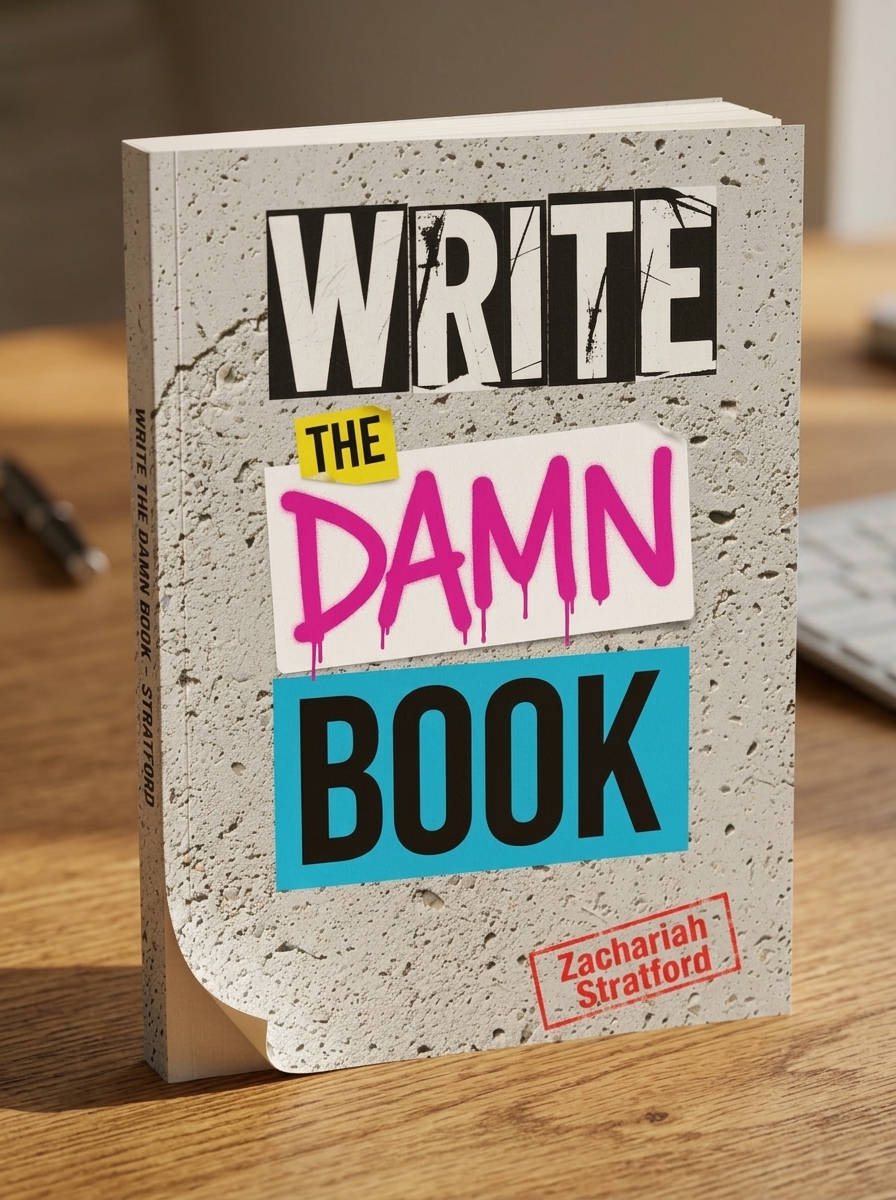
1. Mockup format selection. If Book 1 is shown as a hardcover hero shot on your landing page, Book 2 should be shown the same way. Switching to a paperback for Book 2 creates a visual disconnect — readers assume they're different products, not the same series.
2. Rendering style and lighting. The angle, shadow depth, and background treatment need to match. A warm, slightly left-angled hardcover mockup for Book 1 next to a stark flat-lit paperback mockup for Book 2 looks like two different design teams worked on them.
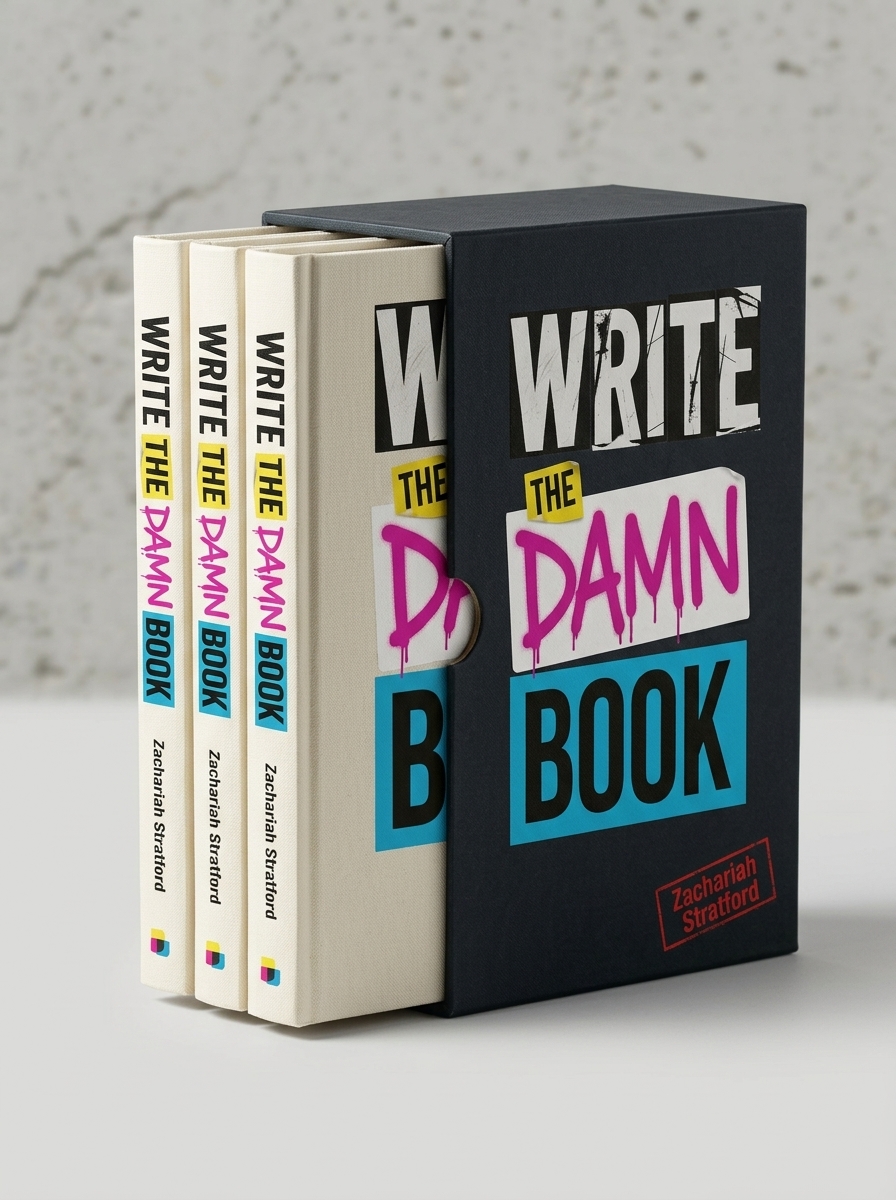
3. Boxset presentation. By the time you release Book 3, you should be marketing the full set. A boxset mockup that doesn't match the spine colors and font treatment of your individual book mockups kills the brand signal.
4. Resolution and output specs. This one is invisible until it matters. Drop a 72 DPI mockup next to a 300 DPI mockup in a Facebook ad split test and one of them will look slightly blurry on high-resolution screens. Every mockup across your series needs to come out of the same rendering pipeline at the same spec.

How to Structure Your Series Mockup Set Before Book 1 Launches
The mistake most authors make is treating mockups as a launch deliverable instead of a series asset. Here's the smarter approach: build a mockup template logic before Book 1 goes live, so Books 2 and 3 drop into that same framework automatically.
Decide on your canonical formats upfront. For a non-fiction series, a practical set covers five use cases: a hardcover shot for the premium angle, a paperback for Amazon and everyday promotion, an e-reader device mockup for digital advertising, a standard boxset for bundle and series promotions, and a course-style boxset if you're selling the series as a curriculum or coaching program. Lock those five in for every book in the series.
Then pick your hero format — the one that leads every landing page and ad. Make that decision once and apply it everywhere. Changing the hero format between books forces readers to relearn what your series looks like every time they encounter it.
Using AuthorWizard's 3D Book Rendering Studio to Lock In Consistency
How to Generate Consistent 3D Mockups for a Multi-Book Series with AuthorWizard
- Upload your cover for Book 1. AuthorWizard's 3D Rendering Studio reads your finished cover file — whether you built it in the Cover Designer or uploaded your own.
- Generate all 5 formats at once. The studio produces: Hardcover, Paperback, E-Reader/Kindle device mockup, Standard boxset, and Course package boxset — all 5 in a single pass, all rendered at 300 DPI under identical lighting and composition settings.
- Save your format selections. Note exactly which of the 5 formats you use for each placement (landing page hero = hardcover, Instagram = paperback, etc.). Document this in a simple format map so your team or future-you applies the same logic to Book 2.
- Repeat with Book 2's cover. Because the rendering pipeline is identical, Book 2's mockups come out of the same visual environment — same angles, same lighting conditions, same output resolution. No briefing a freelancer, no hoping they match the previous look.
- Use the boxset mockup to market the series as a whole. Once you have 2+ books live, the boxset and course package mockups become your primary series-level marketing assets — use them for bundle pricing pages, email campaigns, and launch announcements.
This is the structural advantage of generating mockups inside the same platform that produced your covers. The rendering is applied to your actual cover art, at the same spec, every single time. There's no file handoff, no freelancer interpretation, no version drift between books.
Normally, a professional 3D mockup package like this costs $300–$800 per book. For a three-book series, that's a real line item. AuthorWizard includes all five mockup formats for every book, at 300 DPI, inside the platform.
The Boxset Mockup: Your Highest-Converting Series Asset
Once two or more books in your series are available, the boxset mockup becomes your most valuable marketing image. It communicates the scale of the series, the commitment behind it, and — when priced as a bundle — a clear value proposition that individual book listings can't match.
AuthorWizard generates two boxset formats: a Standard boxset (the classic stacked-books-in-a-case look) and a Course package boxset (which frames the series as a program or curriculum, useful for coaches and consultants who sell their book series as part of a course or membership). These two formats let you speak to two different buyer mindsets — the reader who wants books, and the buyer who wants a structured system.
Use the standard boxset on Amazon promotions and landing pages. Use the course package boxset on any page where you're pitching the series as a complete education or transformation. Same books, same covers, two different frames — both generated from the same cover art so the visual brand stays intact.
What Consistent Mockups Do for Your Series Long-Term
When every ad, every landing page, and every social post shows the same photorealistic rendering style across your series, something specific happens in the reader's brain: the series starts to feel real. It looks like something they'd find at a bookstore. It looks like a publishing house put real money behind it.
That perception matters because non-fiction readers are making a trust decision, not just a purchase decision. They're deciding whether you're the author they should spend time with. A consistent, professional series mockup set is one of the fastest ways to signal that you've done this seriously — before they read a single word.
The e-reader mockup adds a specific layer: it shows the series on a Kindle device, which works particularly well in digital-first ad creative targeting Kindle readers. That single format can outperform a flat cover image in email campaigns by a significant margin because it places the book in the context of how the reader will actually consume it.
Run the five formats and test which one performs best for your specific audience. Then make that your series hero mockup and use it everywhere — consistently, across every book in the series, every time.
Get 5 Photorealistic 3D Book Mockups — Instantly
Hardcover, paperback, e-reader, boxset, course boxset — AuthorWizard generates all 5 in seconds from your cover. Ready to drop into your ads, landing page, and Amazon author page.
Try the 3D Mockup Studio Free →