A single book mockup is straightforward: one cover, one render, done. But the moment you're selling a boxset, a course package, or a multi-volume collection, the rules shift in ways most authors don't anticipate until they're already staring at a flat, unconvincing image that undersells a $97 product. The visual has to do more work — communicate volume, perceived value, and completeness — all at once.
Here's exactly what changes when you move from a single-book 3D mockup to a boxset or course render, and how to get it right without hiring a designer for $300–$2,000 or waiting three business days for a file you might need to revise twice.
---Why the Boxset Mockup Is a Different Creative Problem
When someone sees a single book mockup, they're evaluating one thing: does this look like a book worth reading? When they see a boxset or course package mockup, they're evaluating a system. The visual has to answer a different question — does this feel like a complete, high-value solution?
That shift has real design consequences. A single paperback render needs to look clean and professional. A boxset render needs to communicate quantity, cohesion, and premium packaging — simultaneously. If the spines don't feel uniform, or the stack looks like it was assembled from mismatched covers, the product looks cheap. And cheap-looking at $97 or $197 kills conversions faster than almost anything else.
The second problem: most standalone mockup tools were built for single books. They give you a hardcover or a paperback template. Dropping a boxset concept into those tools means you're fighting the format the whole way.
The 5 Mockup Types — and Which Two Actually Change Everything
AuthorWizard's 3D Rendering Studio generates exactly 5 photorealistic mockup types from your cover file:
- Hardcover — the premium bound look, ideal for high-ticket positioning
- Paperback — the most common format, works for virtually every category
- E-Reader / Kindle device mockup — your cover displayed on a realistic Kindle screen
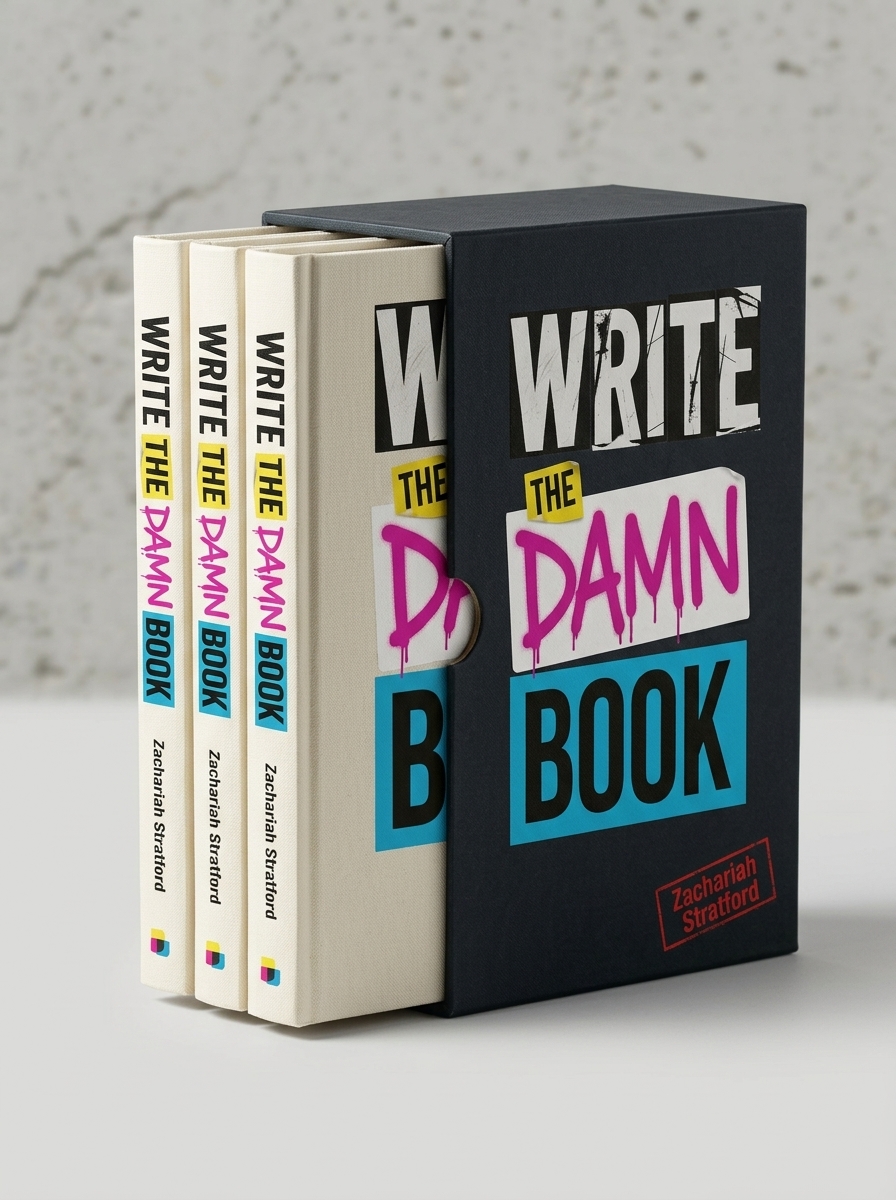
- Standard Boxset — a stacked multi-volume set, cohesive spine-out presentation
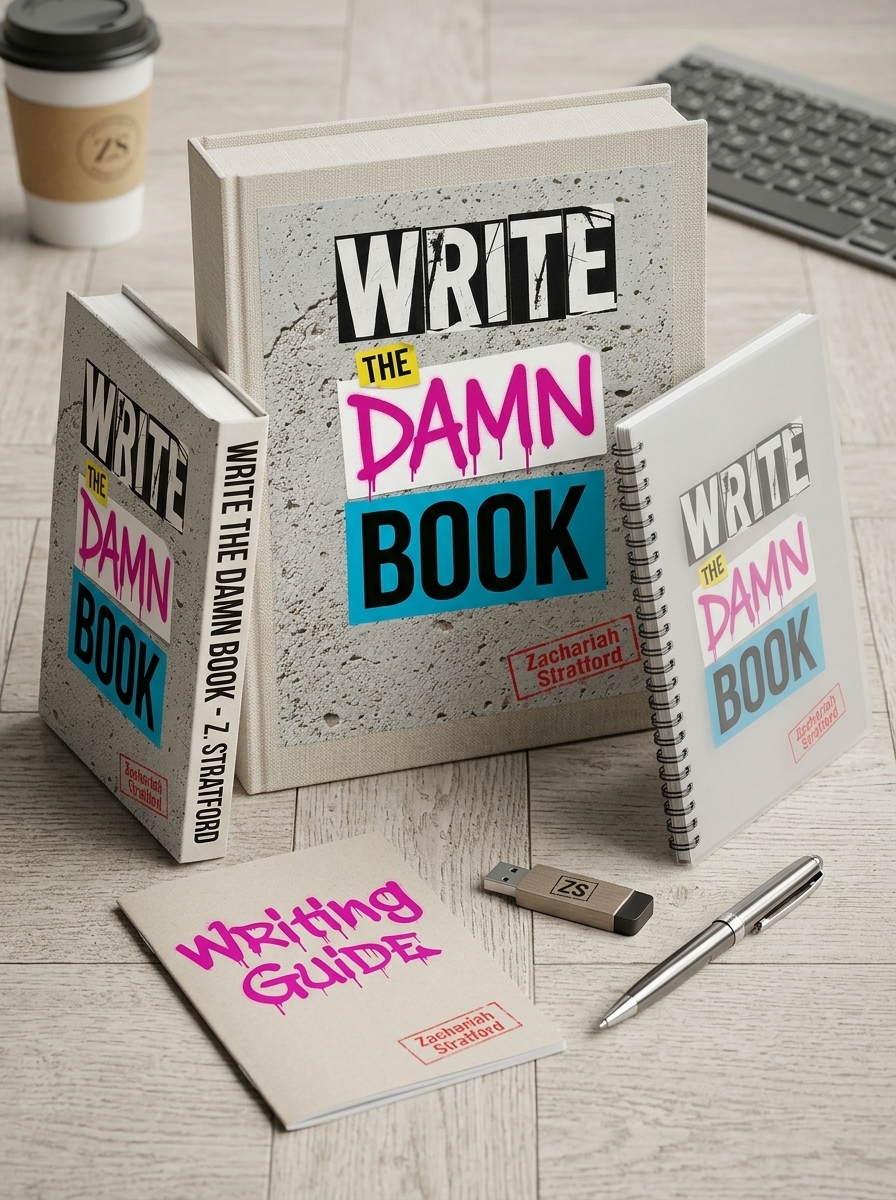
- Course Package Boxset — the one built specifically for digital course creators and bundled non-fiction programs
The last two are where the logic changes completely. The standard boxset render communicates "there are multiple volumes here." The course package boxset communicates "this is a complete program" — a subtly different message that lands differently with buyers who are purchasing access to a system, not just a stack of books.
If you're selling a course with a companion workbook, a physical component, and a reference guide, the course package render is the one you want front and center on your sales page. It signals investment. It signals completion. The paperback render of one book signals none of that.
What Has to Be True About Your Cover File First
Before you can generate a convincing boxset mockup, your cover has to be ready for it. A low-resolution image, a cover that wasn't built with the right bleed, or a design that looks fine at thumbnail size but falls apart when rendered at scale — all of these create problems that show up in the 3D render before they show up anywhere else.
What Your Cover Needs Before Generating a 3D Boxset Mockup
- 300 DPI resolution minimum. The 3D render is photorealistic — meaning it picks up pixelation, compression artifacts, and soft edges that a flat image hides. 300 DPI is non-negotiable.
- 0.125-inch bleed on all sides. Boxset renders show the physical edges of the product. Without bleed, those edges look cropped and unfinished.
- A full cover wrap if you're showing spines. If your boxset render shows the spine, and your file only has the front cover, the render will look incomplete. You need front, spine, and back as one file.
- Consistent visual language across volumes. If your boxset contains multiple books, the covers need to share a color palette, font family, or compositional logic. Mismatched volumes look like they were never meant to be a set.
- A clean back cover for course package renders. The course package mockup shows more surface area than a single paperback. Blurbs, ISBNs, and back-cover design choices become visible — and they matter.
How AuthorWizard Handles This End-to-End
This is where the workflow difference between AuthorWizard and a standalone mockup tool becomes obvious. AuthorWizard's Cover Designer outputs a print-ready full cover wrap — front, spine, and back as a single file — in PDF/X format at 300 DPI with 0.125-inch bleed already built in. The spine width is auto-calculated from your page count (0.002252 inches per page for white paper, 0.0025 inches per page for cream paper), so it's accurate to your actual book, not a guess.
That file flows directly into the 3D Rendering Studio. You don't re-upload, re-export, or adjust resolution settings. You move from a finished cover into 5 photorealistic mockups — hardcover, paperback, e-reader, standard boxset, and course package boxset — in seconds.
If you already have a finished cover from another designer, you can upload it directly and skip the AI generation entirely. It routes through the same pipeline and produces the same 5 renders. The tool doesn't care how the cover was made — it cares that the file meets the output specs.
That same set of 5 renders is ready for Amazon author pages, landing pages, Facebook and Instagram ads, and social media — no resizing, no additional exporting, no back-and-forth with a designer. Hiring out this work typically costs $300–$800. It's included in AuthorWizard.
Where Authors Go Wrong With Course Mockups Specifically
Course creators run into a specific trap: they use a single paperback mockup on a sales page for a $197 course, and then wonder why conversion rates are flat. The image is communicating "book" when the product is "program." Buyers are smart. They read the visual before they read the copy.
The course package boxset render exists specifically to close that gap. It presents your content as a complete, bounded system — the visual equivalent of saying "everything you need is in here." That framing supports a higher price point. A $47 book and a $197 course can contain the same words. The positioning — including the mockup — is what justifies the price difference.
A second mistake: using renders that don't match the actual physical product. If you're selling a paperback boxset but your mockup is a hardcover render, buyers who receive the physical product feel the disconnect. It's a small thing that creates a real trust problem. Use the render type that matches what you're actually selling.
A third mistake: treating the mockup as an afterthought. The 3D render is often the first image a potential buyer sees — in an ad, in a social post, in an Amazon search result. It's doing sales work before your copy gets a chance to. A render that looks like a stock photo or a flat image with a drop shadow signals "low production value" immediately. Photorealistic 3D rendering signals the opposite.
Using Your 5 Renders Across Every Channel
Once you have all 5 renders, each one has a natural home:
- Course package boxset — lead image on your sales page and in your highest-ticket ads
- Standard boxset — bundle promotions, email sequences, affiliate materials
- Hardcover — premium positioning, speaking engagements, media press kits
- Paperback — Amazon listing, general social content, organic posts
- E-reader mockup — Kindle launch promotions, email opt-in pages, digital product ads
Running all 5 across a launch gives you visual variety without needing to commission new assets every week. You're also not locked into one product format visually — a buyer who finds you through a Kindle ad sees the e-reader render; a buyer who lands on your sales page sees the course package. The product looks right in every context.
AuthorWizard's Static Ad Studio and Video Studio pull directly from the same cover and asset pipeline — so the cover you built in Stage 4 flows into your 3D renders in Stage 8, which feed into your ad creative in Stage 13. Nothing has to be re-imported or recreated. That end-to-end continuity is what makes the difference between a launch that takes 3 weeks of asset production and one that comes together in an afternoon.
Get 5 Photorealistic 3D Book Mockups — Instantly
Hardcover, paperback, e-reader, boxset, course boxset — AuthorWizard generates all 5 in seconds from your cover. Ready to drop into your ads, landing page, and Amazon author page.
Try the 3D Mockup Studio Free →