An eye-catching 3D book cover image isn't just a nice-to-have; it's a sales imperative for your Amazon listing in 2026. While a flat 2D cover image gets the job done, a 3D mockup transforms your book from a simple graphic into a tangible product in the reader's mind, instantly increasing perceived value and click-through rates. This visual trick can significantly impact your book's performance, making your offering feel more professional and real to potential buyers.
The good news? You don't need expensive software or a graphic designer charging $300–$800 for these assets. With the right tools and a clear process, you can create stunning 3D book cover images quickly and affordably. Let's break down exactly how to do it.
Why 3D Book Cover Images Drive More Sales
Think about walking into a bookstore. You don't see flat images; you see physical books, spines, and covers, all inviting you to pick them up. Online, a 3D book cover image recreates that experience. Here’s why they’re so effective:
- Increased Perceived Value: A 3D render makes your book look like a finished, professional product, not just a digital file. This perception of quality can lead to more purchases.
- Enhanced Visual Appeal: Our brains are wired to respond to depth and realism. A 3D image stands out in a crowded search result page, drawing the eye away from competitors.
- Versatility for Marketing: Beyond Amazon, 3D mockups are perfect for social media ads, landing pages, email marketing campaigns, and even your author website. They give you compelling visuals for every stage of your book's marketing.
- Clarity of Format: Different 3D mockups (hardcover, paperback, e-reader) immediately communicate the available formats to your audience, simplifying the buying decision.
Investing a few minutes into creating these assets can yield significant returns on your marketing efforts, helping your non-fiction book reach more readers.
What You Need Before You Start
Before you dive into creating your 3D book cover images, you'll need one crucial asset: your finished 2D book cover design. This should be a high-resolution image of your front cover, typically in JPG or PNG format. Ensure your 2D cover is finalized and represents your book accurately. Any changes to the 2D cover will require regenerating your 3D mockups.
Ideally, this cover should be professionally designed and adhere to Amazon KDP's specifications for image quality and readability. If you don't have a professional cover yet, consider investing in one—or using an AI-powered design tool that understands these requirements. A poor 2D cover will result in a poor 3D mockup, so this foundational step is critical.

Step-by-Step: How to Make a 3D Book Cover Image
The 5-Step Process for Stunning 3D Mockups
Creating a professional 3D book cover image for your Amazon listing is simpler than you might think. Follow these five steps to transform your 2D cover into a photorealistic 3D asset in just a few minutes:
- Finalize Your 2D Cover Design: This is your starting point. Make sure your front cover artwork is high-resolution (at least 300 DPI is recommended) and free from typos or design flaws. This is the image that will be wrapped around your 3D model.
- Choose Your 3D Mockup Tool: Select a platform or software specifically designed for book mockups. While Photoshop can be used, dedicated tools are faster and produce more consistent results. Look for options that offer various formats like hardcover, paperback, and e-reader.
- Upload Your 2D Cover: In your chosen tool, you'll find an option to upload your finished front cover image. The system will then automatically apply this design to a default 3D book model.
- Select Your Desired Mockup Style: Most tools offer different 3D styles: a standard hardcover with a slight angle, a paperback with a soft bend, an e-reader device, or even a book presented in a box set. Pick the format that best suits your book and marketing needs. For Amazon, including a mix of hardcover and e-reader can be very effective.
- Download Your High-Resolution 3D Image: Once generated, download the 3D mockup in a high-resolution format (typically JPG or PNG). Ensure it meets Amazon's image requirements for clarity and size (minimum 500 pixels on the shortest side, ideally 1,000 pixels or more for zoom features).
AuthorWizard: Your All-in-One Solution for 3D Book Mockups
While there are many tools available, AuthorWizard.app streamlines the entire process of making 3D book cover images, integrating it seamlessly into your overall book production and marketing strategy. We understand that non-fiction authors need high-quality assets without the hassle or expense of hiring multiple specialists. That's why our 3D Book Rendering Studio is designed to make this step effortless.
Typically, getting 3D mockups and launch assets can cost $300–$800. AuthorWizard includes this as part of its comprehensive platform. Here's how AuthorWizard simplifies creating your 3D book cover images:
- Integrated Workflow: Your journey often starts with our free 7-minute AI-guided interview, which informs everything from your book's concept to its cover design. Once your cover is finalized in our Cover Designer (which replaces a $400–$2,000 cover designer), generating 3D mockups is a one-click step.
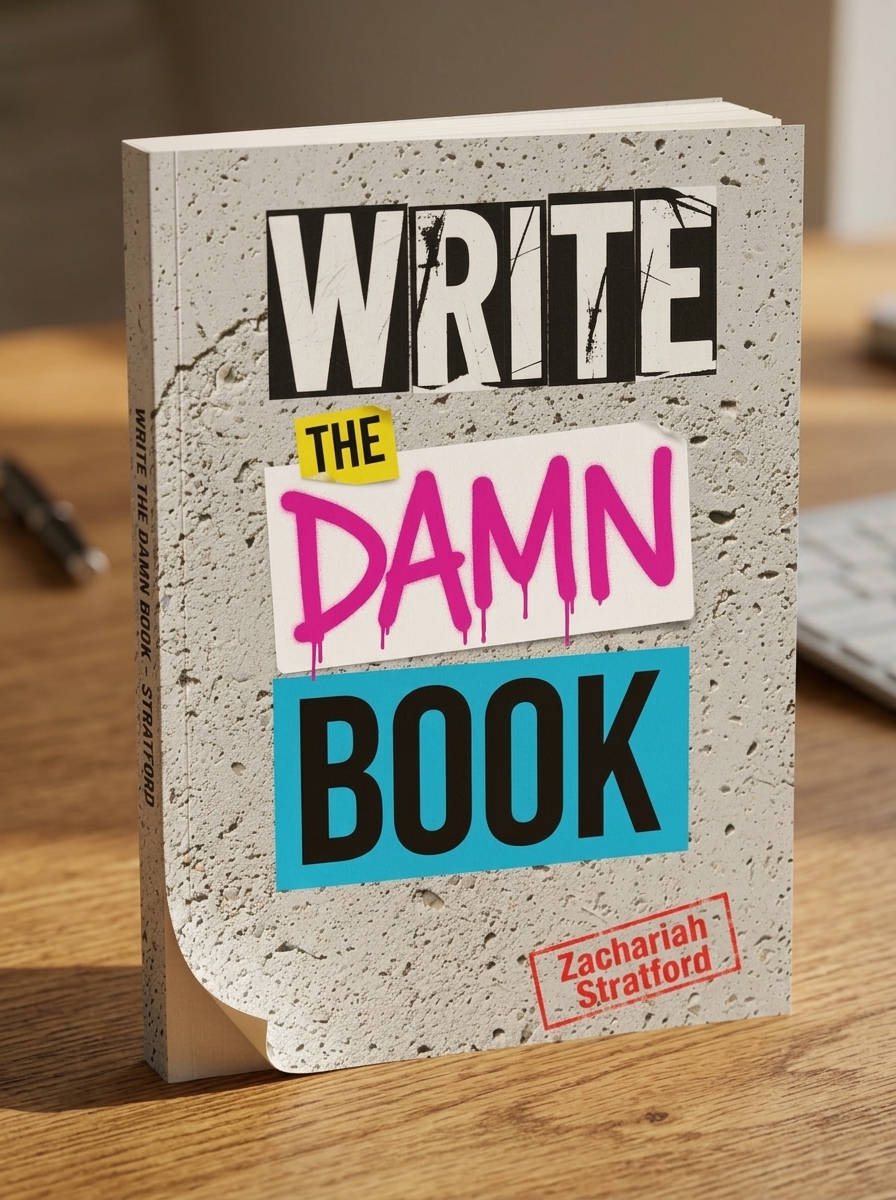
- Five Photorealistic Options: AuthorWizard's 3D Book Rendering Studio provides 5 distinct photorealistic 3D renderings. You can instantly generate mockups for a hardcover, paperback, an e-reader/Kindle device, a standard boxset, and even a course package boxset. This versatility covers all your marketing needs, from Amazon listings to social media campaigns.
- Professional Quality, Ready for Anything: Each mockup is generated at a high resolution, optimized for immediate use in your ads, on your landing pages, across social media platforms, and directly on your Amazon author page. You don't need to worry about file formats or pixel dimensions; we handle it all.
- No Design Skills Required: The beauty of AuthorWizard is that you don't need any graphic design experience. You simply upload your 2D cover (or generate it within the platform), and our AI does the heavy lifting, producing stunning 3D visuals without any manual manipulation.
This integration saves you significant time and money, eliminating the need to outsource this specific task. AuthorWizard is built to ensure every asset you create, including your 3D mockups, is professional-grade and optimized for maximum impact.

Best Practices for Using Your 3D Book Cover Images on Amazon
Once you've generated your gorgeous 3D book cover images, how do you make sure they perform their best on Amazon? Here are some best practices for maximizing their impact:
- Upload as Secondary Images: While your primary cover image should be a flat 2D representation of your actual book cover, use your 3D mockups as secondary images. Amazon allows up to 7 images on your product page. Use these slots wisely to showcase different angles and formats.
- Vary Your Mockups: Don't just upload the same 3D mockup five times. Use a hardcover version, a paperback version, and an e-reader version. If you have a boxset, include that too. This diversity caters to different reader preferences and shows the full breadth of your offering.
- Ensure High Resolution: Amazon recommends images be at least 1,000 pixels on the shortest side for the zoom feature to work. Always upload the highest resolution 3D mockups available to you to ensure crisp, clear visuals that impress potential readers.
- Consider Lifestyle Mockups: Some 3D tools (or your own creative use of them) can place your book in a "lifestyle" context – perhaps on a desk with a coffee cup, or being held by hands. While AuthorWizard's current 3D mockups focus on product presentation, these kinds of images can also be powerful additions to your Amazon image gallery.
- Test and Optimize: Keep an eye on your book's performance metrics. While harder to directly attribute to 3D mockups alone, a higher click-through rate from search results or increased conversion on your product page can indicate that your visuals are working. Don't be afraid to experiment with different mockup styles if you feel your current ones aren't performing.
By following these best practices, your 3D book cover images will not only look fantastic but also contribute meaningfully to your book's discoverability and sales on Amazon.
Get 5 Photorealistic 3D Book Mockups — Instantly
Hardcover, paperback, e-reader, boxset, course boxset — AuthorWizard generates all 5 in seconds from your cover. Ready to drop into your ads, landing page, and Amazon author page.
Try the 3D Mockup Studio Free →