In the crowded digital landscape of 2026, simply having a great book isn't enough. To capture attention and drive sales, your book needs to pop off the screen. That means utilizing compelling book mockups for social media, crafted with the right sizes and angles that make people stop scrolling. A visually striking mockup can be the difference between your non-fiction book getting noticed or getting lost in the endless feed.
The secret lies in understanding how different angles and sizes impact visual perception on various platforms. Your goal is to create an immediate emotional connection and curiosity, compelling viewers to learn more about your work. This isn't just about showing your cover; it's about presenting your book as an object of desire.
Why Book Mockups are Essential for Social Media Marketing
Think about your own social media habits. What makes you pause? It's often a visually engaging image that feels authentic and high-quality. A flat 2D image of your book cover, while functional, rarely achieves this. Professional 3D book mockups, however, elevate your presentation by adding depth, realism, and a tactile quality that suggests a physical product waiting to be held.
These mockups are crucial because they:
- Increase perceived value: A polished 3D rendering makes your book look like a premium product, justifying its price.
- Enhance shareability: Visually appealing content is more likely to be shared, expanding your reach to new audiences.
- Build brand recognition: Consistent use of high-quality mockups helps solidify your author brand in the minds of potential readers.
- Drive action: A captivating image often leads to clicks, whether to your Amazon page, website, or email list.
In 2026, with the sheer volume of content, a few seconds is all you have to make an impression. High-quality book mockups are your silent sales force, working 24/7 to attract readers.
Mastering Book Mockup Sizes for Every Social Platform
Before diving into angles, let's address sizes. Each major social media platform has preferred image dimensions that optimize display and prevent cropping. Using the wrong size can lead to distorted or incomplete mockups, undermining your effort to look professional.
- Instagram (Feed & Reels Covers): For feed posts, square images (1:1 aspect ratio, e.g., 1080x1080 pixels) are still king for maximum visibility. For Reels covers, aim for 9:16 (1080x1920 pixels) to ensure your mockup fills the screen without awkward borders.
- Facebook (Feed Posts & Ads): While Facebook is more flexible, square (1200x1200 pixels) or horizontal (1.91:1, e.g., 1200x628 pixels) images perform well. Square is generally safer for organic reach.
- X (formerly Twitter): A horizontal image (16:9, e.g., 1200x675 pixels) or square (1200x1200 pixels) works best, keeping in mind that longer images might be cropped in the feed.
- LinkedIn (Feed Posts): Professional and clean, LinkedIn favors horizontal (1.91:1, e.g., 1200x627 pixels) or square (1200x1200 pixels) images. Ensure text is readable against your mockup.
- Pinterest: Vertical images (2:3 aspect ratio, e.g., 1000x1500 pixels) dominate Pinterest, as they take up more screen real estate and capture attention more effectively in a scrollable feed.
Always export your mockups in high resolution (at least 72 DPI for web, 300 DPI for print, though social media compresses). AuthorWizard ensures your exports are optimized, but choosing the right aspect ratio for each platform is key to a polished presentation.
The 5 Scroll-Stopping Book Mockup Angles You Need in 2026
Once you have your sizes squared away, it's time to choose the angles. The right angle can convey different messages and appeal to various psychological triggers. Here are 5 angles that consistently stop the scroll:

1. The Hero Shot (Front-and-Center)
This is your classic, straightforward view. The book is presented head-on, slightly angled to show the spine. The focus is entirely on the cover art and title. This angle works best when your cover design is strong and needs to be seen clearly. It conveys confidence and directness, ideal for book launch announcements or when showcasing a striking design.
- When to use: Official book launches, Amazon product pages, blog post features.
- Impact: Clear, professional, emphasizes cover design.
2. The Hand-Held (Authenticity & Connection)
A book mockup nestled in a pair of hands, perhaps holding a coffee cup or a pen, instantly creates a sense of authenticity and relatability. It suggests the reader is already engaging with the book. This angle is powerful for connecting with your audience on an emotional level, implying that the book is part of a real-life experience. It also allows for subtle branding with backgrounds.
- When to use: Instagram, Facebook, stories, or posts aiming for personal connection.
- Impact: Relatable, personal, aspirational.
3. The Stack (Authority & Volume)
Presenting multiple copies of your book, either neatly stacked or fanned out, signals authority and demand. This angle works particularly well for series, multiple editions, or implying a high volume of sales. It's a subtle way of saying, "This book is important, and many people are reading it."
- When to use: Series promotions, celebrating sales milestones, announcing new editions.
- Impact: Authoritative, suggests popularity, visually impactful.
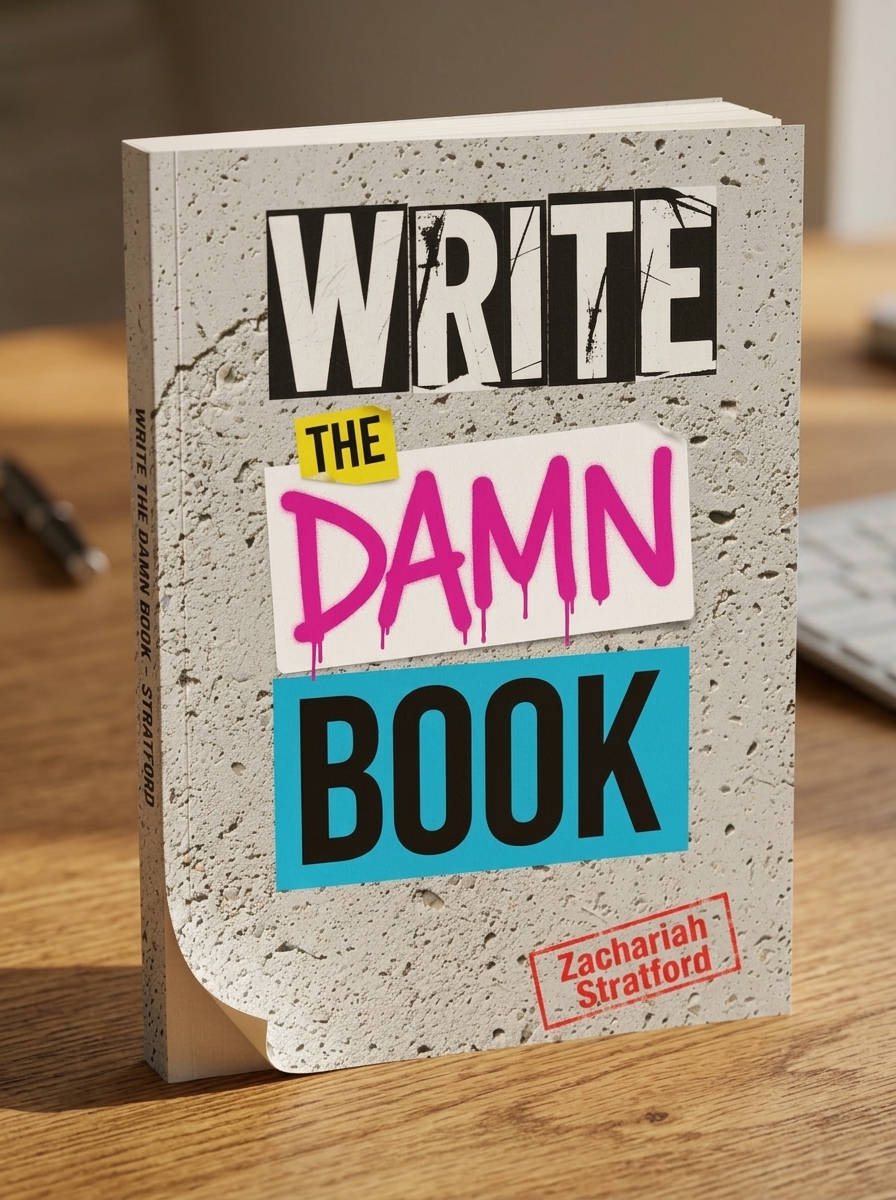
4. The Environment (Lifestyle & Context)
Place your book within a relevant context: on a desk with a laptop, next to a cup of tea, on a bookshelf, or by a window with a scenic view. This angle helps potential readers visualize the book fitting into their own lives. For a non-fiction book on productivity, a desk setting is perfect. For a book on wellness, a serene, natural backdrop works wonders. It sells the lifestyle associated with the book's topic.
- When to use: Targeted ads, content marketing, demonstrating practical application.
- Impact: Aspirational, contextual, speaks to reader's pain points/desires.
5. The Device Display (Digital Accessibility)
For those promoting e-books or audiobooks, displaying your book cover on an e-reader, tablet, or phone mockup is essential. This showcases the digital accessibility of your work and appeals directly to readers who prefer digital formats. An e-reader mockup looks sleek and modern, signaling convenience and instant access.
- When to use: Promoting e-book versions, Kindle deals, or digital downloads.
- Impact: Modern, convenient, highlights accessibility.
The key is to select angles that align with your book's genre, your target audience, and the specific message you want to convey. Don't be afraid to experiment with different combinations to see what resonates most with your followers. A/B testing different mockup styles can yield valuable insights into your audience's preferences.
Crafting Professional Book Mockups with AuthorWizard.app
Gone are the days of needing expensive design software or hiring a graphic designer for every single social media asset. AuthorWizard.app streamlines the entire process, including generating stunning, professional book mockups for social media.
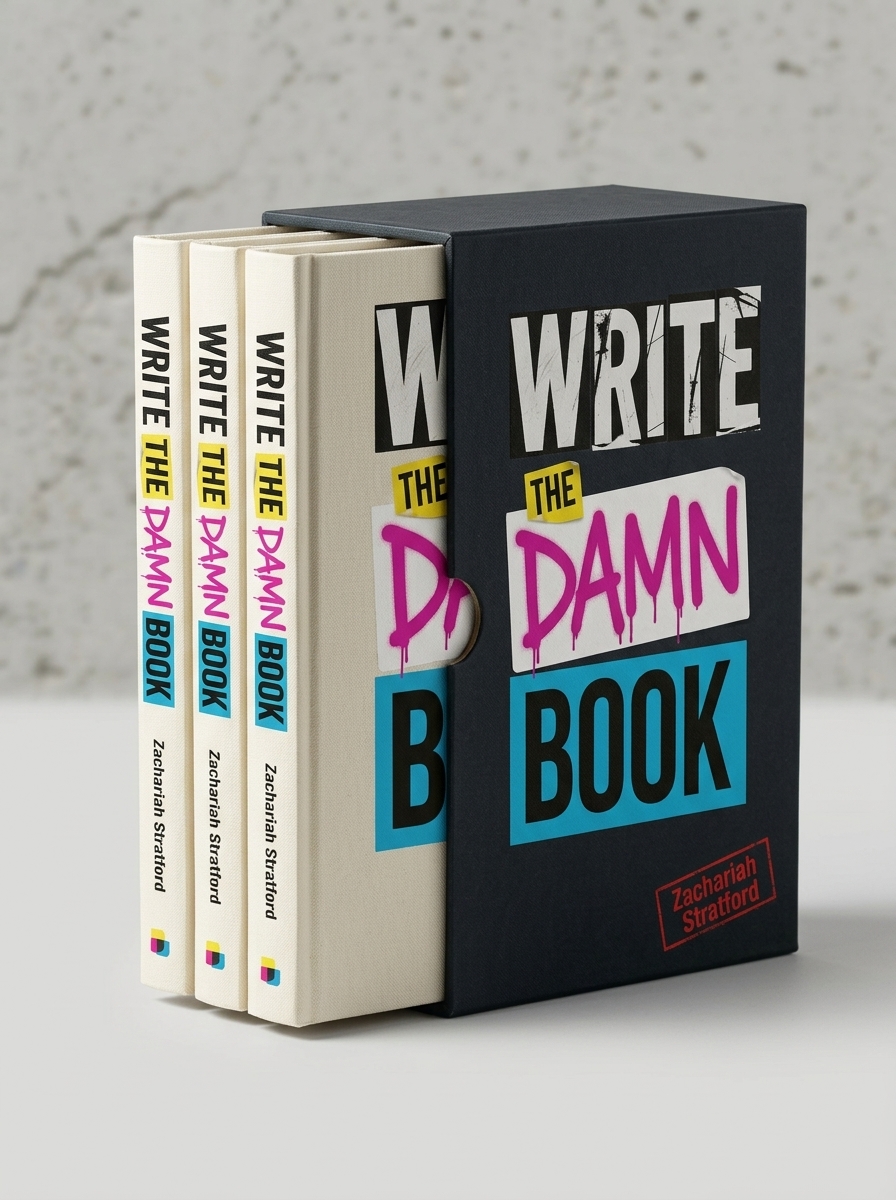
After you've perfected your book's cover, AuthorWizard's 3D Book Rendering Studio allows you to instantly generate 5 photorealistic 3D renderings of your book. These aren't generic templates; they're high-quality, professional mockups ready for immediate use. You can choose from:
- Hardcover mockup
- Paperback mockup
- E-Reader/Kindle device mockup
- Standard boxset mockup
- Course package boxset mockup
Each of these options offers different angles and presentations, perfectly aligning with the "scroll-stopping" strategies we've discussed. Imagine effortlessly generating a paperback mockup for your Instagram feed, an e-reader mockup for a Kindle promotion, and a course package boxset for your landing page—all within seconds and ready to integrate into your social media strategy. This feature alone can save authors $300–$800 in design costs, making professional-grade marketing assets accessible to everyone.
Practical Tips for Maximizing Mockup Impact
To ensure your book mockups truly stop the scroll and convert viewers into readers, consider these additional tips:
- High-Resolution Images: Always use the highest resolution possible. AuthorWizard's 3D renderings are designed for this, ensuring crisp, clear visuals every time.
- Brand Consistency: While you'll use different angles, maintain a consistent aesthetic. Your book cover, author photo, and general social media branding should feel cohesive.
- Call to Action (CTA): Don't just post a mockup. Pair it with a clear, concise call to action. "Pre-order now," "Get your copy today," "Learn more at [link]."
- Text Overlay (Use Sparingly): Sometimes a compelling quote from the book, a key statistic, or a short headline can enhance a mockup, but avoid clutter. Keep it minimal and readable.
- Backgrounds & Props: If your mockup isn't already set in an environment (like the hand-held or environment angles), choose clean, uncluttered backgrounds. Simple textures or blurred elements can make your book stand out.
- Experiment with Carousel Posts: On Instagram or Facebook, use carousel posts to show different angles or even combine a mockup with a short quote or a "behind the scenes" image of your writing process.
By thoughtfully applying these strategies and leveraging tools like AuthorWizard's 3D Mockup Studio, you'll transform your social media presence from a simple announcement board into a dynamic, engaging platform that drives genuine interest and sales for your non-fiction book in 2026.
Get 5 Photorealistic 3D Book Mockups — Instantly
Hardcover, paperback, e-reader, boxset, course boxset — AuthorWizard generates all 5 in seconds from your cover. Ready to drop into your ads, landing page, and Amazon author page.
Try the 3D Mockup Studio Free →