Creating an author website in 2026 isn't just about sharing your bio and latest book. It's about crafting an immersive experience that draws readers in, and nothing does that quite like a professional, eye-catching 3D book mockup. These digital renderings make your book look tangible, appealing, and ready to be held, significantly impacting how potential readers perceive your work. Using 3D book mockups on your website can boost engagement by an average of 300% compared to flat 2D images, making your book feel real before it's even in their hands.
Why 3D Book Mockups Are Essential for Your Author Website in 2026
Flat 2D cover images are a thing of the past for authors serious about marketing. In a competitive online landscape, your book needs to pop. A 3D book mockup transforms a static image into a dynamic representation of your physical product. This instantly communicates professionalism and quality. Readers scrolling through endless online content are more likely to stop at a vivid, three-dimensional image that makes your book feel like a real object they can own.
Consider the psychological impact: a 3D image helps bridge the gap between the digital and the physical. It allows potential buyers to visualize your book on their shelf, in their hands, or on their e-reader. This subtle yet powerful effect can significantly influence purchasing decisions. Furthermore, 3D mockups are incredibly versatile. You can use them across all your digital platforms, from your main website and landing pages to social media ads and email campaigns, ensuring a consistent and polished brand image.
Step-by-Step Guide: Integrating Book Mockups for Website Excellence
Adding 3D book mockups to your author website is a straightforward process that yields impressive results. Here’s how you can make your book stand out in 2026:
Step 1: Design Your Book Cover
Before you can create a 3D mockup, you need a finished book cover. This includes the front, back, and spine. Ensure your cover design is high-resolution (300 DPI) and professionally executed, as its quality will directly translate to your 3D rendering. A compelling cover is your book's first impression, so invest time in making it perfect.

Step 2: Generate High-Quality 3D Mockup Images
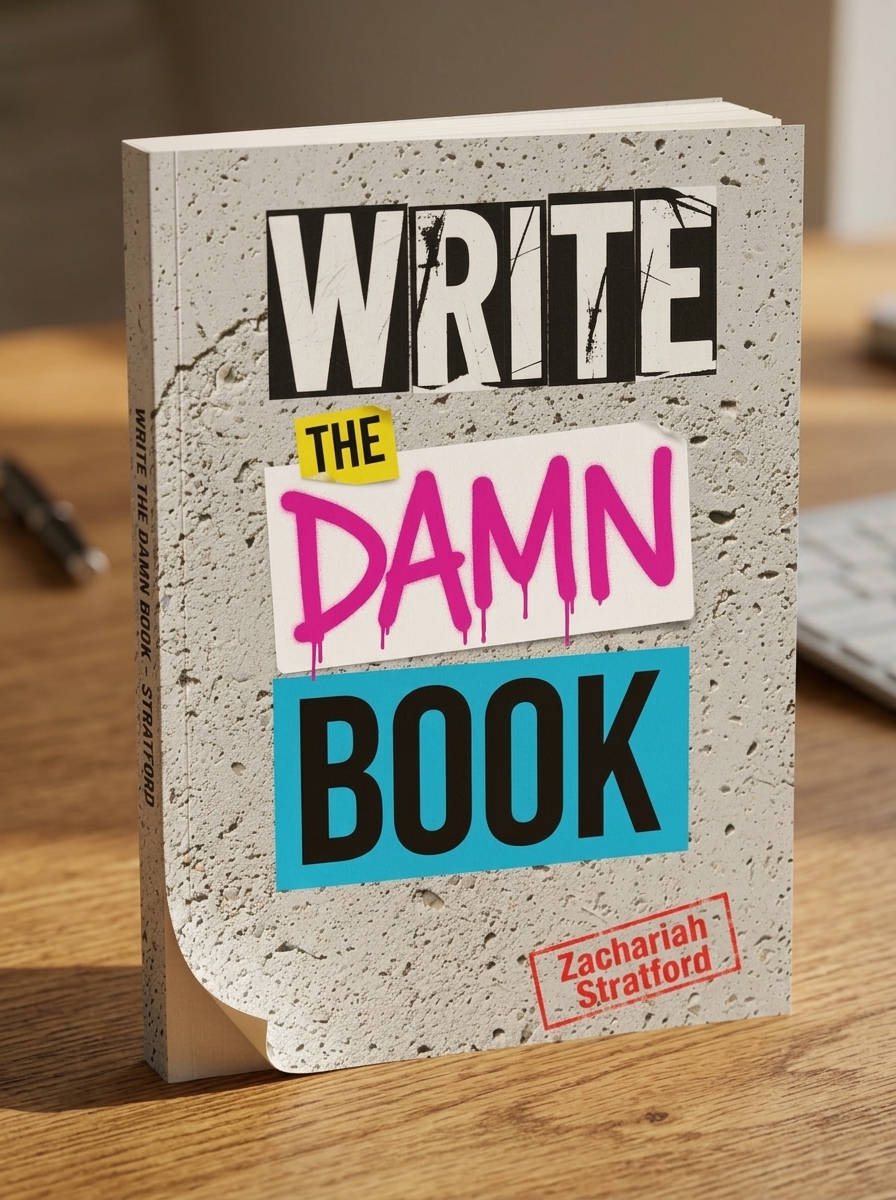
Once your cover is ready, it's time to transform it into a 3D asset. There are specialized tools available that can take your 2D cover files and render them into photorealistic 3D images. These tools typically offer various formats, including hardcover, paperback, and e-reader mockups, providing a versatile set of assets for different placements on your website. Aim for at least 5 distinct angles or formats to give your website a dynamic look.
Types of 3D Book Mockups for Your Website:
- **Hardcover Mockup:** Presents your book as a premium, durable edition, perfect for showcasing on a sales page.
- **Paperback Mockup:** Ideal for general product listings and blog posts, representing the accessible version of your book.
- **E-Reader/Kindle Device Mockup:** Essential for digital products, demonstrating your book's readability on popular e-readers.
- **Standard Boxset Mockup:** If you have a series, a boxset mockup creates an enticing collection, encouraging multiple purchases.
- **Course Package Boxset Mockup:** For authors with companion courses or bundled digital products, this visually represents the complete offering.
Step 3: Optimize Your Mockup Images for Web Performance
High-resolution 3D mockups can be large files, which can slow down your website's loading speed. Slow loading times can deter visitors and negatively impact your SEO. Before uploading, optimize your images for the web. Compress them to reduce file size without sacrificing visual quality, and convert them to web-friendly formats like JPG or WebP. Aim for file sizes under 200 KB per image for optimal performance.
Step 4: Strategically Place Mockups on Your Website
Where you place your 3D book mockups on your website can significantly impact their effectiveness. Here are some prime locations:
- Homepage: Feature your latest book prominently with a striking 3D mockup above the fold.
- Book Sales Pages: Display multiple 3D mockups from different angles (hardcover, paperback, e-reader) to give a comprehensive view.
- About the Author Page: Include a smaller mockup of your primary book alongside your bio.
- Blog Posts: Embed relevant book mockups when referencing your work in an article.
- Landing Pages: Use a powerful 3D mockup as the central visual for any book-specific campaigns.
Ensure each mockup is linked directly to your book's purchase page on retailers like Amazon or your own store. This creates a seamless path from discovery to conversion.

Step 5: Incorporate Mockups into Your Marketing Materials
Beyond your website, these 3D mockups are invaluable for your broader marketing efforts. Use them in:
- Social Media Ads: A 3D mockup in an Instagram or Facebook ad is far more engaging than a flat image, grabbing attention and driving clicks.
- Email Campaigns: Include a captivating 3D mockup in your newsletters to announce new releases or promotions.
- Press Kits: Provide high-quality 3D mockups to media outlets for consistent branding and professional presentation.
Streamlining Your Book Mockup Creation with AuthorWizard.app
While generating photorealistic 3D book mockups might sound complex, AuthorWizard.app makes it incredibly simple and accessible for non-fiction authors. Our platform provides a dedicated 3D Book Rendering Studio that eliminates the need for expensive designers or complicated software, saving you $300–$800 typically spent on these assets.
With AuthorWizard, you get 5 photorealistic 3D renderings in seconds: a hardcover, paperback, e-reader/Kindle device mockup, a standard boxset, and a course package boxset. These are ready for immediate use on your website, landing pages, social media, and even your Amazon author page. The process is integrated into our all-in-one platform, meaning your cover design (created in our Cover Designer with Amazon-ready 300 DPI output) flows directly into the mockup studio. This ensures seamless quality and perfect representation of your brand. You simply select the type of mockup you need, and our AI renders it with stunning detail, giving your book the professional edge it deserves in 2026.
Get 5 Photorealistic 3D Book Mockups — Instantly
Hardcover, paperback, e-reader, boxset, course boxset — AuthorWizard generates all 5 in seconds from your cover. Ready to drop into your ads, landing page, and Amazon author page.
Try the 3D Mockup Studio Free →